YouTube without the rabbit hole.
Focus Mode hides Shorts and end screens. Filters mute the channels you never asked for. A real playback queue — with autoplay-next and shareable links — plays what you chose, then stops. Watch what you came for. Nothing else.
✓ Works on every major browser — core features free, forever.
See it in action
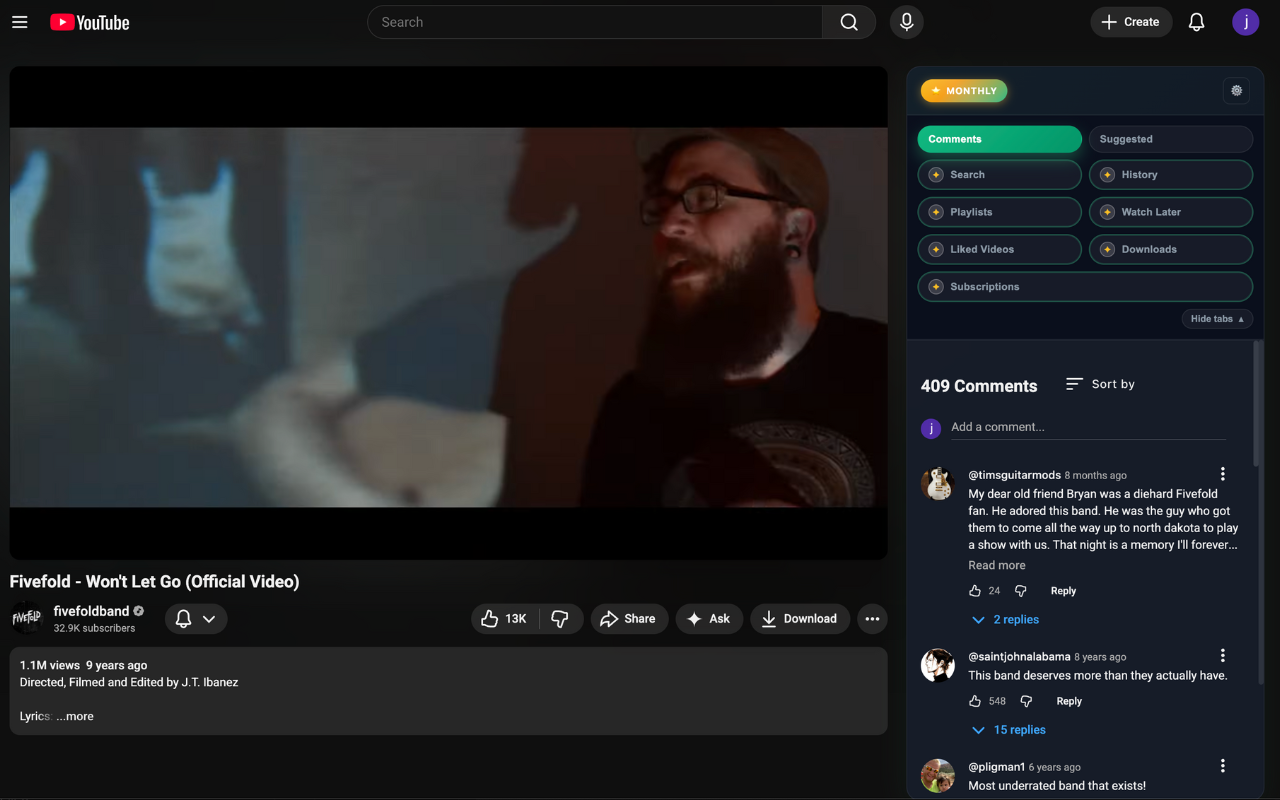
No more losing the video mid-sentence. The player locks in place; everything else scrolls beside it.
Demo coming soon
A 20-second clip of scrolling comments and suggestions while the video keeps playing, locked in place.
Scrolling the Comments tab while the video keeps playing — the player never leaves the screen.
Everything you need to watch on purpose.
Focus Mode, suggestion filters and a real playback queue are free forever. Premium adds search, notes, watch-time stats and cloud sync.
Free Forever
Take back control of what YouTube shows you.
- Focus Mode One toggle hides Shorts and end-screen suggestions — the two biggest rabbit-hole traps.
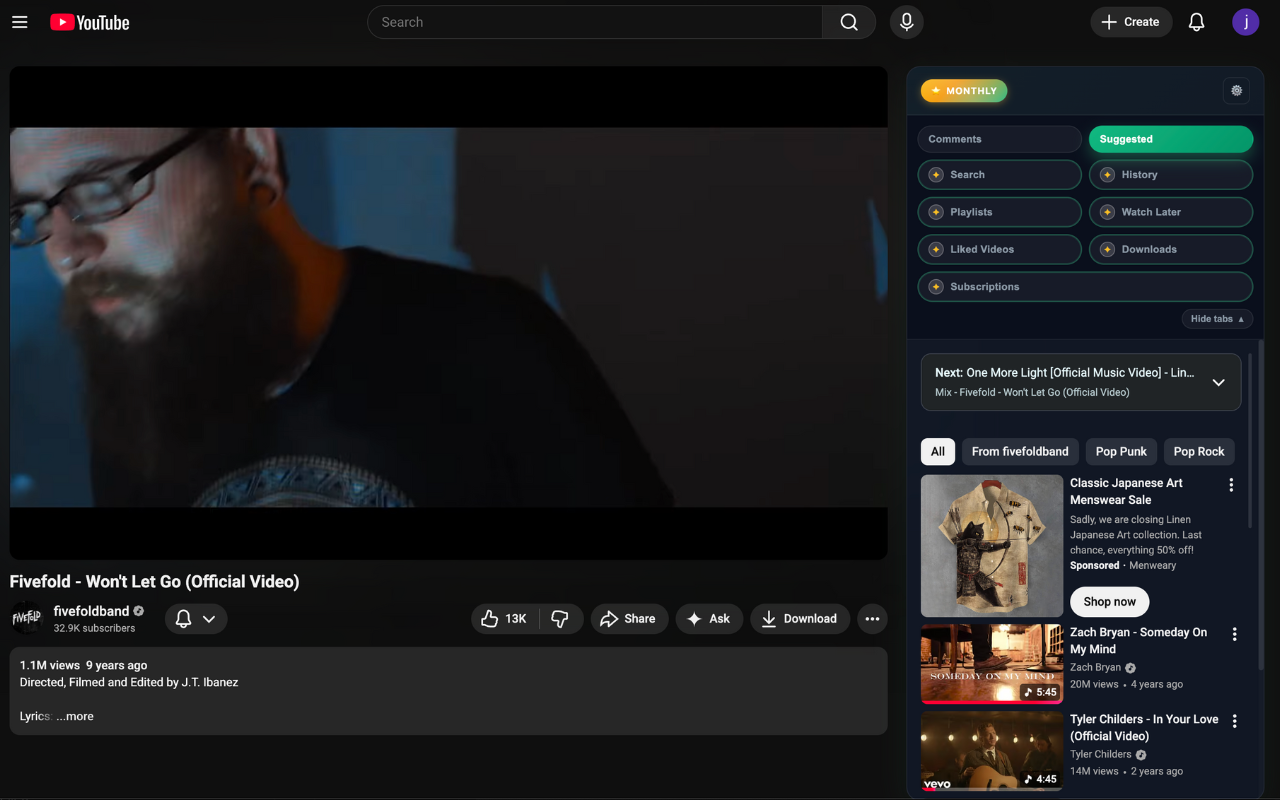
- Suggested-video filters Filter the recommendations beside the video — and mute entire channels so they never show up again.
- A real playback queue Queue videos as you browse, drag to reorder, autoplay-next through your list — and share the whole queue as a link anyone can open.
- Pinned player, scrollable sidebar The video locks in place while Suggested videos and Comments scroll in a tabbed sidebar beside it.
- Fits how you watch Keyboard shortcuts, a resizable sidebar, and support for Chrome, Firefox, Edge and Opera.
Premium From $1/mo
For people who use YouTube to learn, not to lose an afternoon.
- In-sidebar YouTube Search Search YouTube next to the video, with duration and upload-date filters.
- Timestamped Notes with Markdown export Jot notes tied to the exact moment in the video, then export them as Markdown.
- Watch-time stats & daily budget See exactly where your time goes and set a daily YouTube budget that keeps you honest.
- Cloud sync across browsers Your queue and notes follow you between Chrome, Firefox, Edge and Opera.
- Your library as tabs History, Playlists, Watch Later, Liked Videos and Subscriptions — each one tab away.
Simple pricing. Try Premium free for 7 days.
Install the extension, start the free trial from inside it — no card required.
Monthly
per month · cancel anytime
All Premium features: in-sidebar Search with filters, library tabs, unlimited queue with export, timestamped notes.
Start free trial 7-day free trial, no card required — start from the extension.Yearly
per year · about 75¢/month
All Premium features: in-sidebar Search with filters, library tabs, unlimited queue with export, timestamped notes.
Start free trial 7-day free trial, no card required — start from the extension.Lifetime
one-time payment · yours for good
All Premium features: in-sidebar Search with filters, library tabs, unlimited queue with export, timestamped notes.
Start free trial 7-day free trial, no card required — start from the extension.Payments are handled securely by Stripe from inside the extension. Subscriptions can be cancelled anytime.
Frequently asked questions
Does it slow YouTube down?
No. The extension only runs on youtube.com and simply rearranges the page's own layout — it pins the player and moves the existing Suggested and Comments sections into the sidebar. There are no background processes on other sites and nothing extra is downloaded while you watch.
Does it work with YouTube's dark mode?
Yes. The sidebar is designed dark-first and blends with YouTube's dark theme, and it works fine in light mode too.
Which browsers are supported?
Chrome, Firefox, Microsoft Edge and Opera. Your Premium license works across browsers — sign in with the same Google account.
How does the free trial work?
Install the extension and start the 7-day Premium trial from inside it — no credit card required. When the trial ends you keep all the free features; upgrade only if you want to keep the Premium tabs.
How do I cancel a subscription?
Anytime. Open the extension's options page and manage your plan from the License section, or use the Stripe customer-portal link emailed to you at checkout. You keep Premium until the end of the period you already paid for. Questions? Email ytsidebar@aimixtapes.com.
Is my data private?
Yes. The extension collects no browsing data — what you watch and scroll stays in your browser. Signing in with Google is only used for Premium licensing, and payments are processed by Stripe (we never see your card number). Full details in the Privacy Notice.
Watch what you came for. Then stop.
Install free in a few seconds — Focus Mode and the sidebar are ready on your next YouTube video.